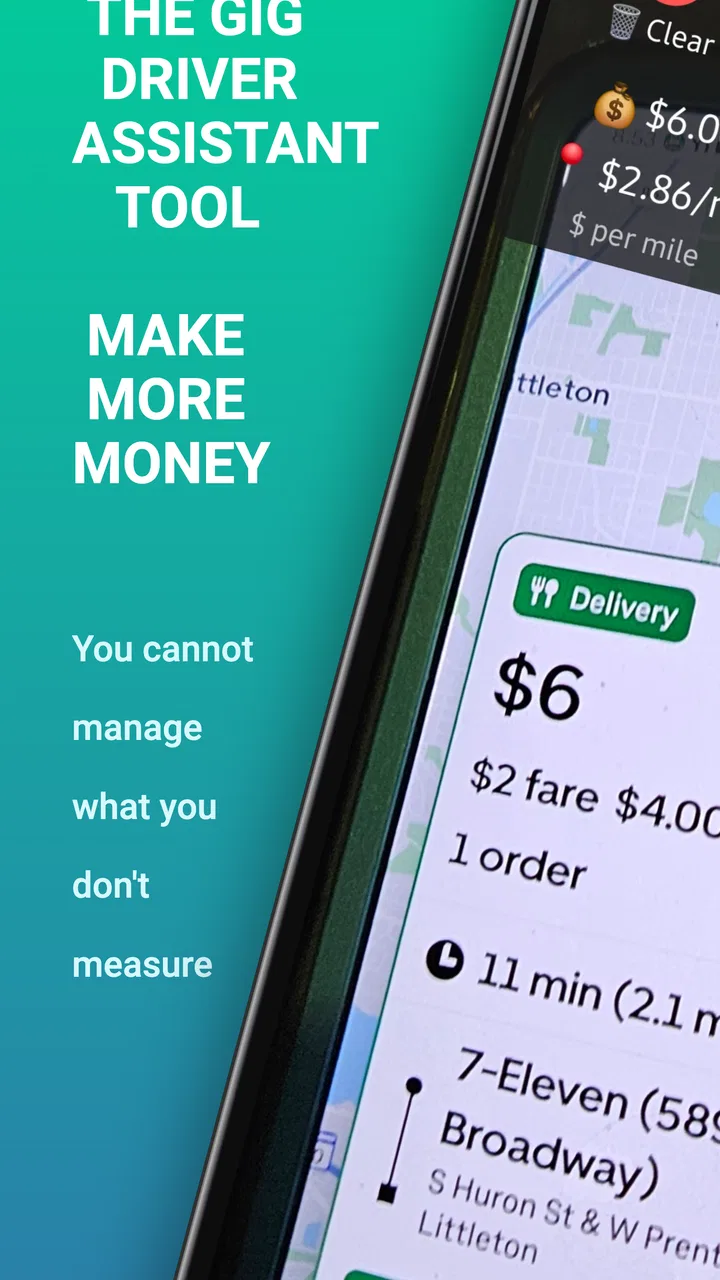
Driver Power App
- 2.9
- Rating
- 10.00K
- Installs
- Free
- Price

 Analysis by App-foxy
I approached Driver Power App as a practical tool for people who earn money behind the wheel, rather than as another general business app. Its purpose is easy to understand: help rideshare and delivery drivers calculate whether a trip is worth accepting. That sounds simple, but the value depends on how quickly the calculation fits into a real driving routine, when the result is useful, and whether it helps you make a better decision than instinct alone.
My overall impression is that this is a focused utility for drivers who want a second opinion before spending time, fuel, and vehicle wear on a job. It is free to install, aimed at everyone from a content-rating perspective, and developed by Byteblocks, LLC. The current release is version 2.2.0, and it runs on Android devices using Android 8.0 or later. Those details make it accessible to people using older phones, although the quality of the experience still depends on how smoothly it fits alongside the driver apps you already use.
How I Would Decide Whether It Belongs in My Driving Routine
I would decide whether to keep this app by testing it against the moments when I genuinely hesitate, not by opening it for every offer out of habit. A useful trial should show whether its extra step helps me make a clearer choice while parked and whether I can apply the same personal standard across rideshare and delivery work. From there, I would weigh that practical benefit against the routine I already trust.
You May Also Like

 Blood Strike: 2.5 Anniversary
Blood Strike’s Loadouts Turn Every Drop Into a Tactical Gamble
A close look at Blood Strike’s custom loadouts: how fast access to signature weapons reshapes its battle royale rhythm, rewards preparation, and narrows the gap between fights.

 Pandora - Music & Podcasts
Pandora’s Music Is Easy to Start, but Harder to Recover
Pandora’s strength is its low-effort path from a seed to a station. Its weak spot is how much confidence it asks you to place in connection, setup, and quiet recovery.

 8 Ball Pool
8 Ball Pool Is Built on Rivalries, Rematches, and Routine
A close look at the rivalries, rematches, shared routines, and unanswered safety questions that turn a quick pool match into a persistent mobile community.

 Samsung Music
Samsung Music’s Quiet Strength Is Playing What You Already Own
Its reach comes less from spectacle than from dependable access to a personal library. That simplicity is both the app’s strongest retention engine and its ceiling.

 AccuWeather: Weather Radar
AccuWeather Review: A Quick, Clear Forecast for Everyday Decisions
For everyday plans, the best forecast is the one you can understand quickly. AccuWeather makes rain timing, radar, and local conditions easy to act on, with a few trade-offs.

 Hill Climb Racing
Why Hill Climb Racing Still Turns Crashes Into One More Run
A tiny car, a bumpy hill and one more upgrade: Hill Climb Racing keeps resurfacing because its simple chaos makes every near-miss feel personal.
More From Our News Desk
View All News


The real question is not “Can it calculate?”
For a driver, the important question is not whether a calculator can produce a number. Most people can estimate a fare, distance, and time with enough patience. The useful question is whether the app helps turn those details into a decision before I accept work. A good tool should reduce hesitation, make poor offers easier to identify, and help me compare a short trip with a longer one that may look better at first glance.
I would judge this app using four practical tests. First, can I enter or review the relevant trip information without losing focus? Second, does the result help me think beyond the displayed payout? Third, can I use it repeatedly during a shift without creating more work than it saves? Finally, does it complement my existing rideshare and delivery platforms instead of pretending to replace them?
That last point matters. This is not the app where I would expect to receive trip requests, manage passengers, communicate with customers, or navigate to a destination. Its role is narrower. It belongs beside the main driver platform, acting as a financial checkpoint rather than a complete work dashboard. If you expect one installation to organize every part of your driving business, you will probably be disappointed.
Why the decision needs more than the advertised payout
A trip that pays well on screen can become unattractive after I account for the drive to pickup, the time spent waiting, traffic, parking, and the possibility of ending far from a busy area. Delivery work adds another complication: several small orders may look productive while consuming more time than a single well-positioned trip.
This is where a dedicated calculator can be more useful than mental arithmetic. I can use it to create a consistent habit instead of judging each offer emotionally. The strongest workflow is to decide in advance which measures matter to me, then use the same approach throughout a shift. For example, I might compare expected earnings against total working time, not just the distance shown in the offer. That prevents a short-looking job from winning automatically when pickup delays are likely.
A less obvious benefit is consistency across different types of work. Rideshare and delivery offers do not always present information in the same way. A calculator gives me one place to apply the same personal standard to both. That does not guarantee a perfect result, but it makes my choices easier to review later.
Where the app is most useful
I see the clearest value for part-time drivers, new drivers still learning their local market, and experienced drivers who want to stop relying entirely on gut feeling. It can also help someone testing whether a particular driving schedule is worthwhile. A person who drives after work, during weekends, or only during busy periods may benefit from a quick check before accepting low-value jobs.
Another useful case is comparing two opportunities that arrive close together. Instead of asking which one has the larger headline payment, I can consider the time and distance involved in each. That is especially helpful when one offer sends me toward an area where I would rather work, while another leaves me in a place where returning empty is likely.
I would also use it during a short trial period when changing my driving habits. Rather than deciding after one unusually good or bad trip, I can use the same calculation method for a series of offers and see whether my choices feel more deliberate. The app does not replace personal record-keeping, but it can make the decision stage more disciplined.
Where it wins over ordinary alternatives
The usual alternative is a notes app, a calculator already installed on the phone, or a rough estimate made in my head. Those options are flexible, but they place the entire method on me. I have to remember which values to enter, perform the calculation, and interpret the result while moving between other apps. That is manageable occasionally, but it becomes tiring during a long shift.
Driver Power App wins when I want a purpose-built step between seeing an offer and accepting it. Its identity as a rideshare and delivery calculator gives it a clearer job than a generic calculator. I do not need to build my own template every time, and I am less likely to forget the calculation I intended to make.
It also has an advantage over broad finance apps in one specific situation: I am making a fast, trip-level decision rather than preparing a monthly budget. A budgeting app may be better for tracking household money, while a mileage log may be better for maintaining detailed records. This app makes more sense when the immediate question is whether a particular piece of driving work deserves my time.
Three habits that make the tool more valuable
The first habit is to include the unglamorous parts of a job. I would not judge an offer only from the moment I pick up a passenger or order. I would consider the route to pickup, expected waiting, and the likely time needed to finish. If I leave those out, the result can make weak work look attractive.
The second habit is to use the calculator before accepting whenever circumstances are unusual, not necessarily for every routine trip. A familiar short ride in a busy area may not need much thought. A long delivery during heavy traffic, an airport run, or an order with an uncertain pickup deserves more scrutiny. This selective approach keeps the app from becoming a burden.
The third habit is to treat the result as a threshold, not a command. A calculation cannot know whether I need to finish near home, whether the weather is poor, or whether I am willing to trade income for a quieter route. I would set personal rules, then allow room for context. That is a more realistic use than expecting one number to make every decision for me.
What may slow me down
The main friction is that a calculator depends on the quality of what I enter. If I rush through the process, overlook a detour, or estimate waiting time too optimistically, the result can look precise while being based on weak assumptions. This is not a flaw unique to this app, but it is important because a polished number can encourage false confidence.
There is also a workflow trade-off. Every extra step between an offer and a decision can be inconvenient, especially when several requests arrive quickly. I would not want to open the calculator for every low-stakes trip. The app is more valuable when I use it as a filter for questionable offers rather than as a compulsory ritual.
Drivers should also remember that a calculation is only one part of the business picture. Fuel, maintenance, taxes, insurance, and vehicle depreciation affect real earnings, but a trip-level tool cannot turn an uncertain estimate into a complete accounting system. I would pair it with a separate method for broader financial records instead of expecting it to cover that job.
When a different category of app is better
If my priority is detailed mileage documentation, I would look toward a mileage-tracking app. That category is designed around recording journeys and preparing information for later review, not making quick acceptance decisions. If I need invoices, expense categories, or business reports, a bookkeeping app is the more natural choice. If I want navigation and live traffic guidance, I would stay with a navigation tool.
A generic spreadsheet may also be better for a driver who enjoys building a personal model. A spreadsheet offers more room for custom assumptions and long-term comparisons, although it usually requires more setup and is less comfortable to use between offers. Driver Power App is the better fit for someone who wants a focused calculation workflow without designing one from scratch.
The choice is therefore less about finding one universally superior app and more about identifying the decision I make most often. For immediate trip screening, this app has a sensible focus. For records, taxes, navigation, or full business management, another category will fit better.
Free access and the cost of depending on it
The app is free, which lowers the barrier to trying it during a few shifts. That is important for drivers because the value is personal: a method that works well for one market or driving style may feel unnecessary to another. I would install it, test it on different kinds of offers, and judge whether it actually speeds up my decisions.
There are in-app purchases ranging from five cents to forty-seven dollars and ninety-nine cents per item. That means I would pay attention to the purchase screen before committing to anything. The free starting point is helpful, but drivers should understand which parts of their preferred workflow remain available without payment and whether a paid option changes the value for their situation.
The cost of switching is not only financial. It includes learning a new routine, deciding which inputs to use, and remembering to open the tool at the right moment. If I already have a trusted spreadsheet or a simple calculation that I complete quickly, changing may not be worthwhile. On the other hand, if I often accept offers without considering total time and distance, a focused calculator could repay the small effort by improving consistency.
What current adoption tells me
Driver Power App has passed ten thousand installs, but its average rating is 2.9 from twenty-seven ratings and ten written reviews. I read that combination as a reason to try it carefully rather than as a final verdict. The install count shows that it has reached a real group of drivers, while the middling rating suggests the experience may not satisfy everyone.
For me, the rating makes the trial process more important. I would test the app on a normal day, a busy period, and a difficult trip involving extra waiting or repositioning. I would also check whether entering information feels natural while parked and whether the result is clear enough to act on quickly. Those tests matter more than assuming the app will fit every driver simply because its purpose is appealing.
Who should install it first
I would recommend giving it a chance if you drive for rideshare or delivery and frequently wonder whether an offer is worth the time. It is particularly suitable for people who want a simple decision aid, prefer a repeatable method, and do not need the app to manage their entire business.
New drivers may find it useful as a learning aid, provided they do not treat its output as a guarantee. It can encourage better questions: how long will this actually take, where will it leave me, and what costs am I overlooking? Experienced drivers may appreciate it when they want to challenge habits that have become automatic.
I would skip it if I am looking for live dispatching, navigation, tax preparation, detailed mileage records, or a complete earnings dashboard. I would also skip it if I already make these calculations quickly with a system I trust and do not want another app in the middle of my workflow.
My recommendation after weighing the trade-offs
My recommendation is cautious but positive: Driver Power App is worth testing for drivers who need a dedicated way to evaluate rideshare and delivery offers. Its strongest quality is its narrow focus. Instead of trying to be a complete driver platform, it addresses the moment when I decide whether a job deserves my time.
I would use it selectively, keep my assumptions realistic, and compare its usefulness with the tools I already have. The free entry point makes that experiment straightforward, while the in-app purchase range means I would review any upgrade carefully rather than assuming it is necessary. The average rating of 2.9 also tells me to judge the actual workflow on my own phone and in my own driving conditions.
In the end, this is not a magic profit button. It cannot predict traffic, guarantee demand, or understand my personal priorities. What it can do is make an often-rushed decision more deliberate. If your biggest problem is accepting work without a consistent way to weigh time, distance, and payout, this focused calculator is worth a trial; if your need is broader business management, choose a tool built for that job instead.
FAQs for Driver Power App
01What is the Driver Power app used for?
Driver Power is designed to help drivers manage and improve their vehicle-related experience through a convenient mobile interface. Depending on the available features in your region, it may provide access to driving information, vehicle services, maintenance-related tools, account details, or other motoring resources. Before downloading, check the current app-store description because features can vary by country, vehicle type, and supported service providers.
02Is Driver Power free to download and use?
The Driver Power app may be free to download, but some functions could require registration, an eligible vehicle, a supported service plan, or payment for specific products and services. Downloading the application does not necessarily mean that every feature is included at no cost. We recommend reviewing the pricing information, terms of service, and any in-app purchase details shown in the Google Play Store or Apple App Store before creating an account.
03What information does Driver Power require from users?
To provide personalized driving or vehicle services, Driver Power may request details such as your name, email address, phone number, vehicle information, location, or account credentials. Certain features can also depend on device permissions, including notifications, Bluetooth, or location access. Only grant permissions that are necessary for the functions you intend to use, and read the app’s privacy policy to understand how your information is collected, stored, and shared.
04Can Driver Power be used with any vehicle or smartphone?
Compatibility may depend on your vehicle model, service provider, operating-system version, and the specific Driver Power features you want to use. Some tools may work on most modern Android and iOS devices, while connected-vehicle functions could require compatible hardware, an active subscription, or a supported car. Check the official store listing and compatibility requirements before downloading, particularly if you use an older phone or vehicle.
05Is Driver Power reliable and safe to use while driving?
Driver Power should be configured before you begin driving, and you should never interact with the application in a way that distracts you on the road. Information displayed by the app may depend on mobile coverage, GPS accuracy, connected hardware, or updated account data, so it should not replace your vehicle’s dashboard warnings or professional advice. Keep the app updated, use strong account credentials, and follow local road-safety laws at all times.
Pros
- Tracks driving habits to encourage safer
- more efficient driving.
- Can help identify harsh braking
- acceleration
- and cornering patterns.
- Useful trip history makes it easier to review recent journeys.
- May support better fuel-saving habits through driving feedback.
- Simple monitoring can provide useful insights without extra hardware.
Cons
- Accuracy may vary depending on phone sensors and device placement.
- Continuous GPS use can noticeably reduce battery life.
- Background tracking may raise privacy concerns for some users.
- Driving scores can be affected by poor signal or unusual road conditions.
- Some features may require permissions or a paid subscription.

Driver Power App
Gallery